

Who’s responsible for performing the mapping?
Prequel Import provides tooling to support both the Destination owner (you) to perform the mapping, as well as to expose this experience to your users. If you plan to embed this experience for your customers, please see the Customer Experience guide.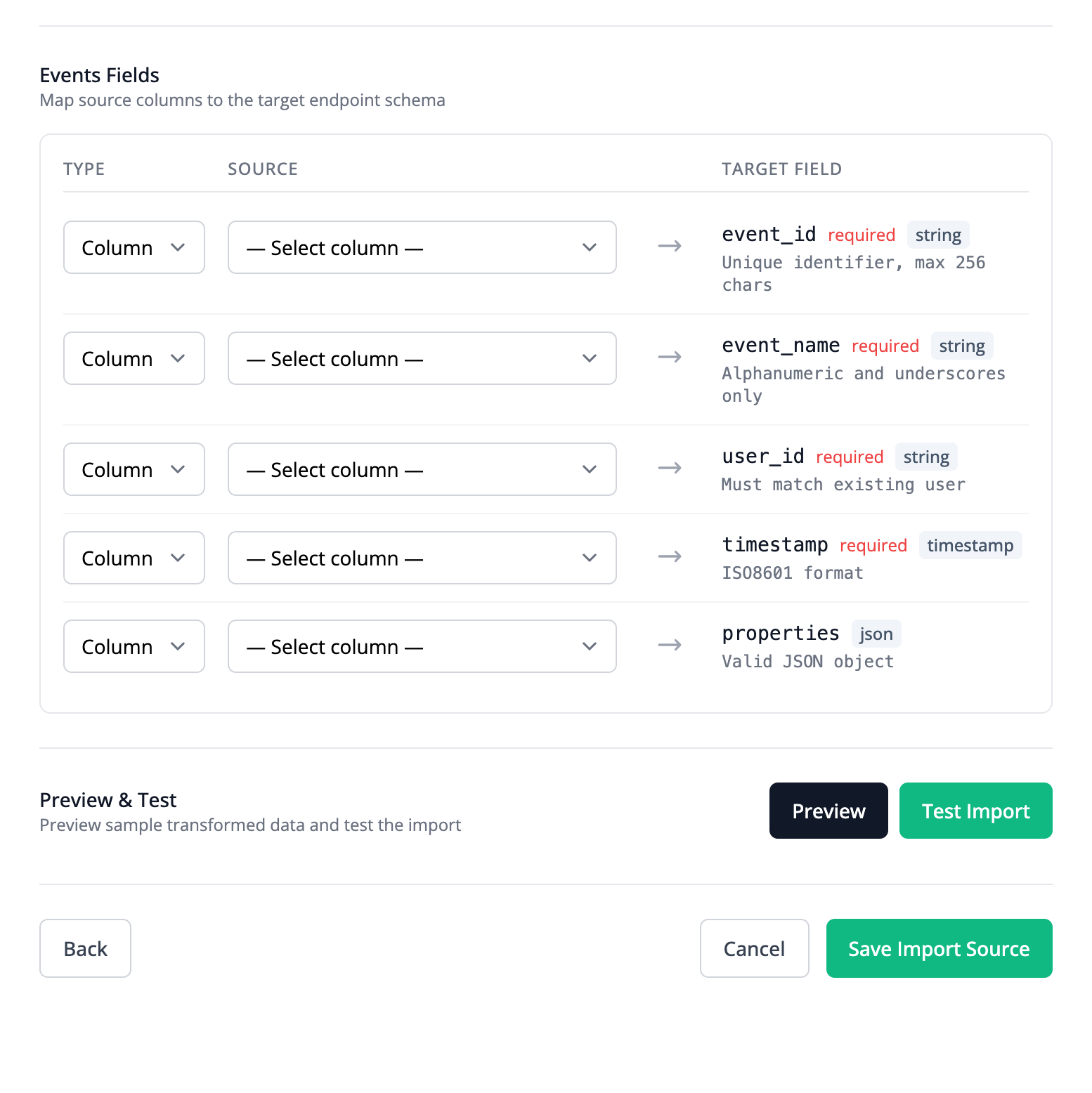
Custom queries
At a full table level, custom SQL queries can be used to transform the Source data. This is a good solution for users that are comfortable with SQL, or who need aggregations or logic that spans multiple rows.Mapping categories
Each Stream mapping has afield_type that determines how the target Destination field is populated. The two categories are summarized below.
Column mapping
A
field mapping copies a Source column value directly into a target Destination field.Column transformation
An
expression mapping computes the target value from one or more Source columns using a formula (expression).POST /streams
Expression syntax
Expressions use the expr-lang language. Any operator or built-in function from the expr-lang language definition is supported.Additional supported functions
Prequel Import also provides the following additional helper functions for common transformations:| Function | Signature | Description |
|---|---|---|
TIMESTAMPVALUE | TIMESTAMPVALUE(text) | Parses a date or timestamp string. |
IF | IF(condition, true_val, false_val) -> any | Returns one of two values based on a condition. |
TODAY | TODAY() -> string | Returns today’s date. |
TEXTSPLIT | TEXTSPLIT(text, delimiter) -> []string | Splits text on a delimiter. |
PROPER | PROPER(text) -> string | Capitalizes the first letter of each word. |
SUBSTITUTE | SUBSTITUTE(text, old_text, new_text) -> string | Replaces occurrences of old_text with new_text. |
LEFT | LEFT(text, num_chars) -> string | Returns the leftmost characters of a string. |
RIGHT | RIGHT(text, num_chars) -> string | Returns the rightmost characters of a string. |
MID | MID(text, start_num, num_chars) -> string | Returns a substring starting at a given position. |
LEN | LEN(text) -> int | Returns the length of a string. |
FIND | FIND(find_text, within_text) -> int | Returns the position of find_text in within_text. Case-sensitive. |
SEARCH | SEARCH(find_text, within_text) -> int | Returns the position of find_text in within_text. Case-insensitive. |
TEXT | TEXT(value, format_text) -> string | Formats a value as a string using the given format. |
VALUE | VALUE(text) -> float64 | Parses a numeric string into a float. |
CONCAT | CONCAT([str]...) -> string | Concatenates the given strings. |
CONCATENATE | CONCATENATE([str]...) -> string | Concatenates the given strings. |
SHA256 | SHA256(text) -> string | Returns the SHA-256 hash of the input string. |
AND | AND([expr]...) -> bool | Returns true if all arguments evaluate to true. |
OR | OR([expr]...) -> bool | Returns true if any argument evaluates to true. |